
PUBG Mobile on PC in 2025: The Ultimate Guide to Emulators and Installation
# PUBG Mobile on PC in 2025: The Ultimate Guide to Emulators and Installation Dreaming of intense PUBG Mobile battles but tired of your smartphone's tiny screen...

PUBG Mobile on PC in 2025: The Ultimate Guide to Emulators and Installation
Dreaming of intense PUBG Mobile battles but tired of your smartphone's tiny screen and awkward touch controls? Welcome to the world of PC gaming! We'll show you how to launch your favorite battle royale on a large monitor, enjoying smooth graphics at 60+ FPS, precise keyboard and mouse control, and all the advantages of a full-fledged PC gaming experience.
PUBG Mobile vs. PUBG: Battlegrounds: What's the Difference?
Many gamers mistakenly believe that PUBG Mobile is just a simplified copy of the original PC version, PUBG: Battlegrounds. In reality, these are two distinct projects, each possessing its unique features and nuances.
Key differences in gameplay between the mobile and PC versions:
- Visuals and Maps. Graphics in PUBG Mobile are optimized for mobile device capabilities. This means less detailed textures and simplified environmental objects. For instance, building windows often lack glass, allowing for silent entry and exit. While the general geometry of structures might be simpler, the main landscape features and recognizable map locations are preserved.
- Vehicles and Physics. Vehicle handling in the mobile version is significantly more forgiving. Cars are less prone to flipping, maintain better road grip, and forgive high-speed errors. Unlike PUBG PC, where a careless buggy maneuver can instantly lead to a fatal outcome, in PUBG Mobile, you'll feel more confident behind the wheel.
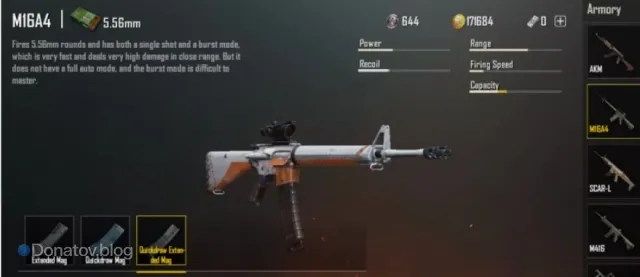
- Weaponry and Combat System. Weapon recoil in PUBG Mobile is substantially reduced, especially for powerful firearms like the AKM, MK14, and SKS. This is a deliberate design choice by developers to compensate for the challenges of control on touchscreens. As a result, these weapons become incredibly effective, offering increased accuracy and ease of aiming. A pleasant addition is the ability to attach an 8x scope to the M16A4 rifle, which is unavailable in the PC version. Ballistics are also simplified, making bullet trajectories more predictable.
How to Download PUBG Mobile on PC: Choosing the Right Emulator
To dive into the world of PUBG Mobile on your computer, you'll need special software – an emulator. Choosing the right emulator is crucial for a comfortable gaming experience without lag or crashes. Different emulators offer unique advantages: some are ideal for low-spec systems, others provide maximum FPS, and some are optimized for streaming. Let's explore the most popular and effective options.
For those who want to not only play but also maximize their arsenal's potential and gain access to exclusive items, PUBG Mobile UC are available on GamesDrop.io. Top up your balance and dominate the battlefield with unmatched style!
Gameloop
- Official Choice: This is the primary and officially supported emulator from Tencent Gaming, the creators of PUBG Mobile.
- Maximum Optimization: Developed specifically for PUBG Mobile, ensuring the best performance and stability for this particular game.
- Full Localization: Support for multiple languages, including English, for user convenience.
- Regular Updates: Frequent patches and bug fixes ensure a smooth gaming experience.
BlueStacks 5
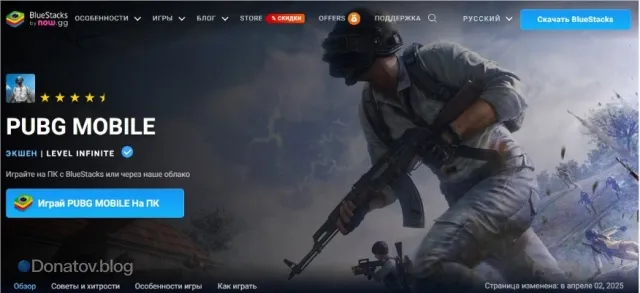
- Highest FPS: Capable of delivering up to 240 frames per second, providing incredibly fluid gameplay.
- Flexible Control Settings: Advanced customization options for keys and macros to suit any playstyle.
- Accessibility for All PCs: Functions excellently even on mid-range computers.
- Content Tools: Convenient built-in interface for recording and streaming gameplay.
LDPlayer 9
- AMD Optimization: Ideally suited for systems equipped with AMD processors, ensuring stable performance.
- Macro Functions: Built-in tools for creating complex macros, especially useful for shooting.
- High Frame Rate: Supports up to 120 FPS for dynamic battles.
- Lightweight: Minimally burdens system resources, making it an excellent choice for less powerful configurations.
Step-by-Step Installation of PUBG Mobile on PC: Quick Start
Ready to transform your computer into a powerful mobile gaming station? The installation process is straightforward and will only take about 15 minutes. Follow these steps:
-
Emulator Installation: First, download and install your chosen emulator (Gameloop, BlueStacks 5, or LDPlayer 9) on your computer. Ensure you have 5 to 10 gigabytes of free hard drive space for the program and future games.
-
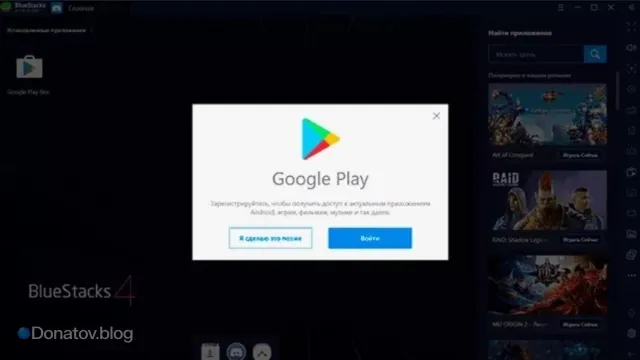
Google Account Login: After successful emulator installation, launch it and log in to your Google account. This is necessary to access the app store.
-
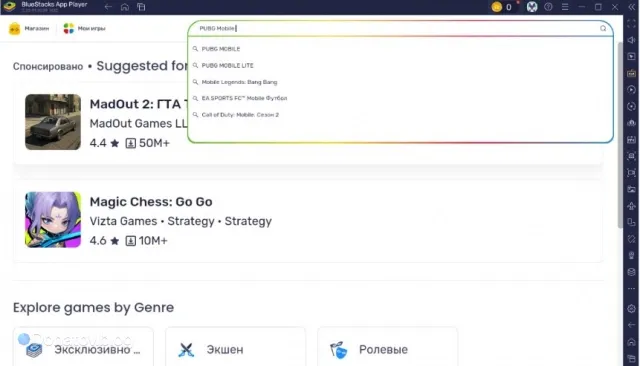
Search for PUBG Mobile: In the emulator's search bar (usually the Google Play Store), type "PUBG Mobile." Select the desired version of the game (standard or Lite, if available).
-
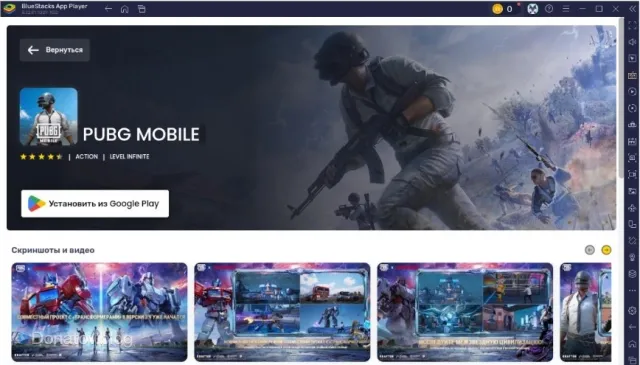
Download and Install the Game: Click the "Install from GooglePlay" button and wait for all game files to download and install.
-
Launch the Game: Once the installation is complete, the PUBG Mobile icon will appear on the emulator's home screen. You are now ready to launch the game and enjoy battles on the big screen!
Conclusion
Choosing the right emulator is key to a comfortable PUBG Mobile experience on PC. Gameloop is ideal for those seeking maximum compatibility and no ban risks, BlueStacks will delight with phenomenal FPS, and LDPlayer will be the best companion for AMD processor owners. The main thing is to find your perfect option and fully immerse yourself in the thrilling world of PUBG Mobile, utilizing all the advantages of the PC platform. Go forth and conquer! 🚀
For all your gaming needs and top-ups, GamesDrop.io offers a wide range of products, from in-game currency to gift cards. Enhance your gaming experience with us!

Frequently Asked Questions (FAQ)
1. Is it legal to play PUBG Mobile using an emulator?
Yes, it is absolutely legal. PUBG Mobile developers (Tencent Games) officially support playing through their own emulator, Gameloop. Using other popular emulators like BlueStacks or LDPlayer also does not lead to bans, as they are recognized by the game as emulator platforms and typically group emulator players with other emulator users.
2. Can I play with mobile players while using an emulator?
No, generally, you will play against other players who are also using emulators. PUBG Mobile's matchmaking system automatically detects the platform type and tries to group players with similar devices to maintain balance. If at least one player in your team is on an emulator, the entire team will play against other emulator users.
3. Which emulator is best for low-end PCs?
For low-end PCs, LDPlayer 9 or BlueStacks 5 are recommended. LDPlayer 9 is known for its lightweight nature and good optimization, especially for AMD-based systems. BlueStacks 5 also offers an "Eco Mode" and various performance settings that help reduce system load. Gameloop, as the official emulator, is also well-optimized but can be more resource-intensive in some cases.
4. What is the main advantage of playing PUBG Mobile on PC?
The main advantages include significantly improved controls (keyboard and mouse offer much greater precision than a touchscreen), a larger screen for better visibility, more stable and higher FPS, and the ability to stream or record gameplay without additional load on your mobile device.
Ready to Level Up Your Gaming?
Get the best rates on game currencies and gift cards at GamesDrop