
Blademaster Roblox Codes Guide: How to Redeem and Get Rewards
Blademaster is a fast-paced action game within the Roblox universe where players must hone their swordsmanship and battle formidable foes. To speed up your prog...
Blademaster is a fast-paced action game within the Roblox universe where players must hone their swordsmanship and battle formidable foes. To speed up your progress and customize your character, developers have implemented a promo code system. In this guide, we will break down exactly how to claim your rewards.
Step-by-Step Activation Guide
Redeeming codes in Blademaster is straightforward, but you need to know where to look in the UI. Follow these steps:
- Launch the game and wait for the assets to load.
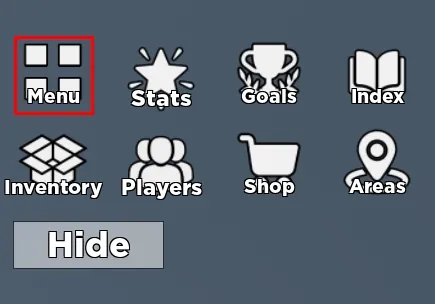
- Open the Main Menu: Locate the menu button on the left side of the screen.
- Access Settings: Click the 'Settings' button found at the top of the menu overlay.
- Enter the Code: Find the text box labeled 'Enter here'.
- Claim your Reward: Click the 'Redeem' button to apply the code to your account.
Looking to boost your performance in other top games? Visit gamesdrop.io for reliable top-ups. You can easily purchase currency for hits like PUBG Mobile or get essentials for Genshin Impact at competitive prices.
FAQ: Frequently Asked Questions
Where can I find new Blademaster codes? Developers usually release them on their official social media channels, such as Discord or X (Twitter), during major updates or community milestones.
Why is my code not working? Common reasons include the code being expired, already redeemed on your account, or a typo (ensure you match the exact capitalization).
What kind of rewards do codes provide? Codes typically grant in-game currency, exclusive weapon skins, or temporary XP boosts to help you level up faster.
Ready to Level Up Your Gaming?
Get the best rates on game currencies and gift cards at GamesDrop